The Oxygen Review Center v.3.0 is now available and includes the features described below.
Re-designed user hierarchy
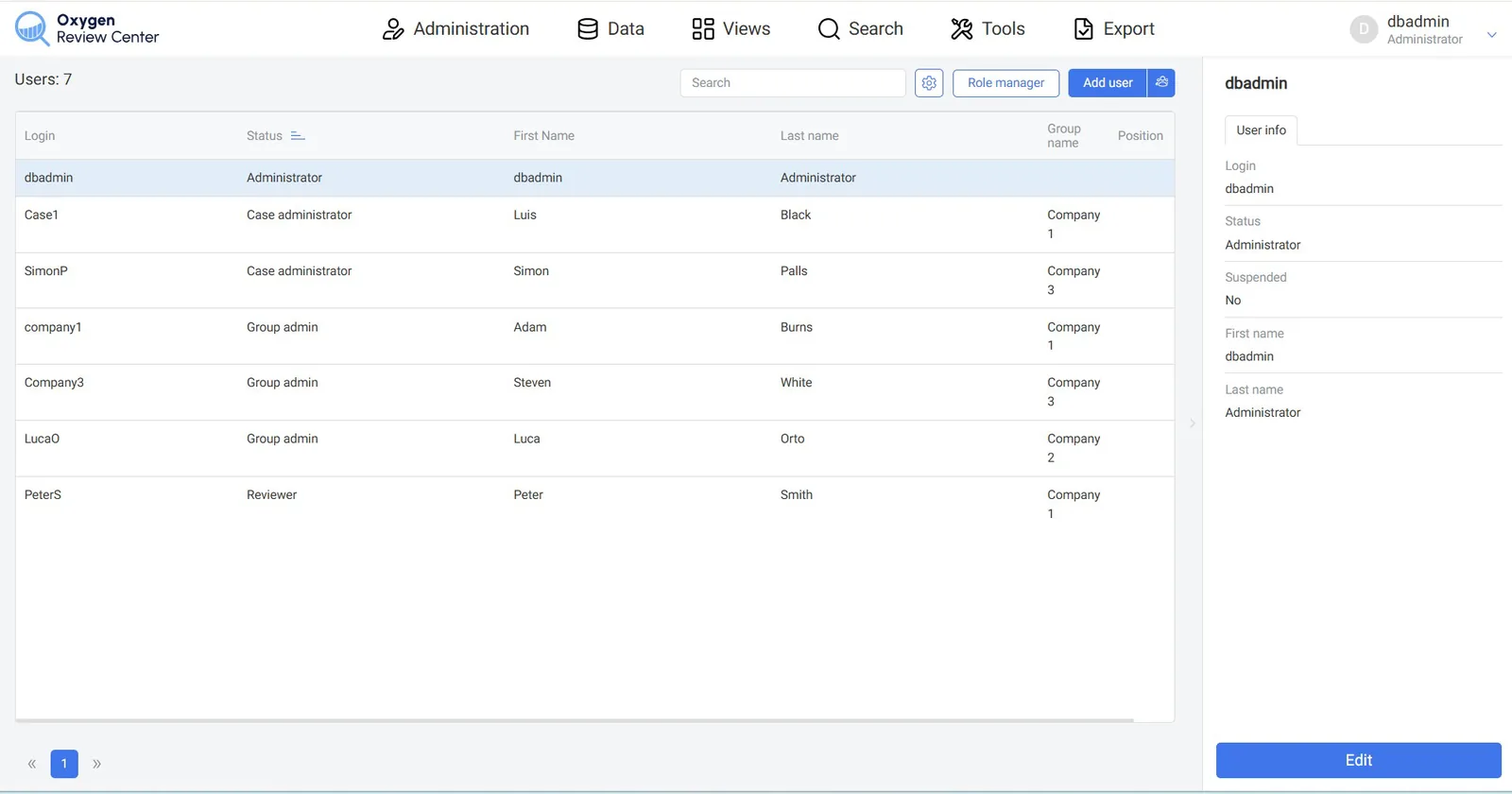
A new user hierarchy enables rights delegation from dbAdmin down through the hierarchy to Group Admins and Case Admins. The new Group Admin role can represent a separate organization, regional entity, or department, providing greater flexibility in managing users and cases. Delegated rights cover user and case management and data-sharing options, while only dbAdmin has permission to modify global software settings. Cases can be shared between groups when needed to facilitate collaboration.
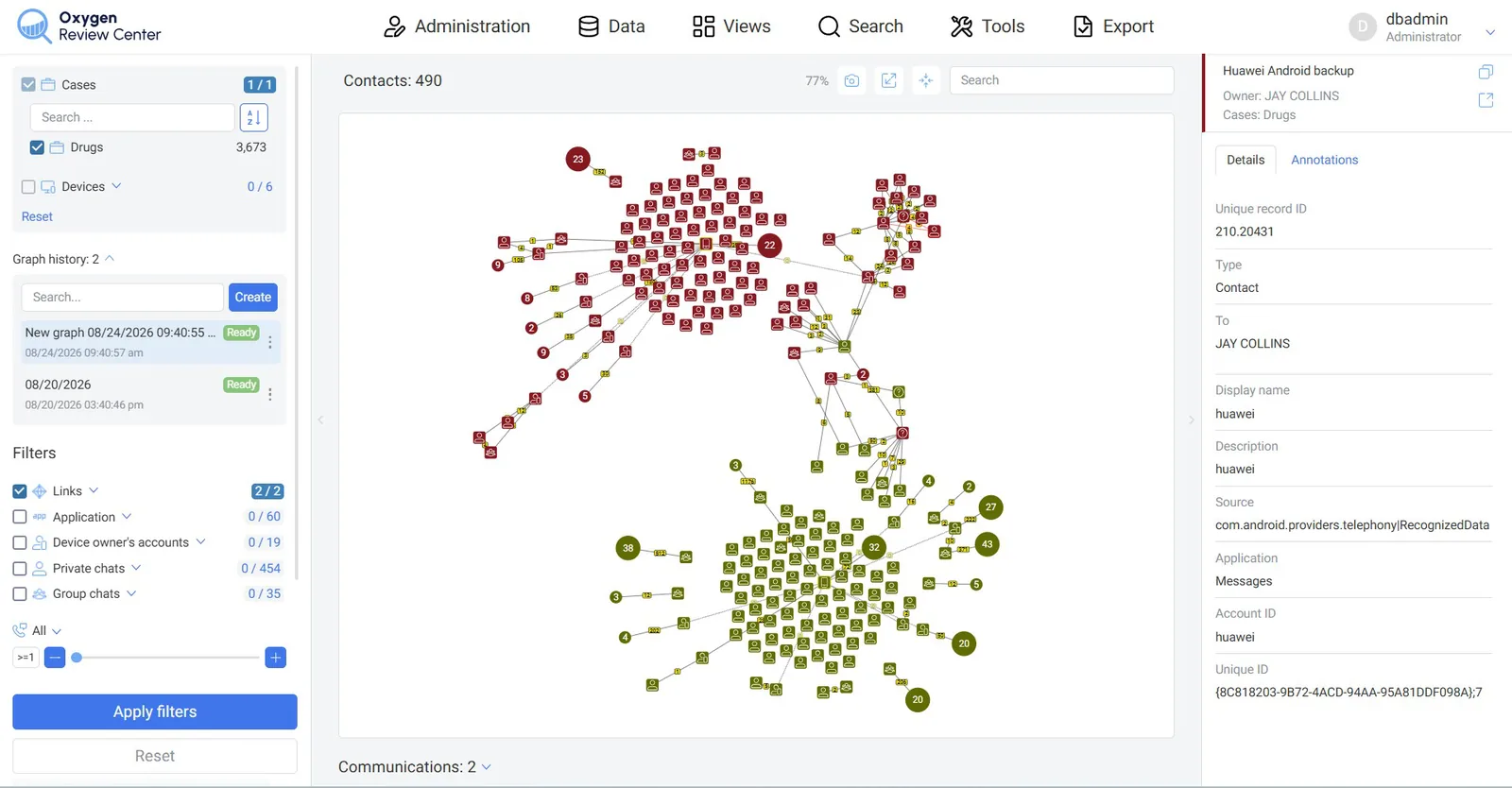
Social Graph for a case
You can now build a Social Graph not only for individual devices but also for entire cases. Use multiple filters, such as common or unique contacts, applications, chats, and more, to drill down into the links most relevant to your investigation. In addition, Social Graph history can now be viewed for individual devices and cases.
Transfer of merged contacts for a case
Merged contacts for a case are now transferred from Oxygen Forensic® Detective via direct export and displayed in the Contacts section. Merged contacts are marked with a dedicated icon and can be expanded to view the individual contacts included in the merge.
Email Viewer
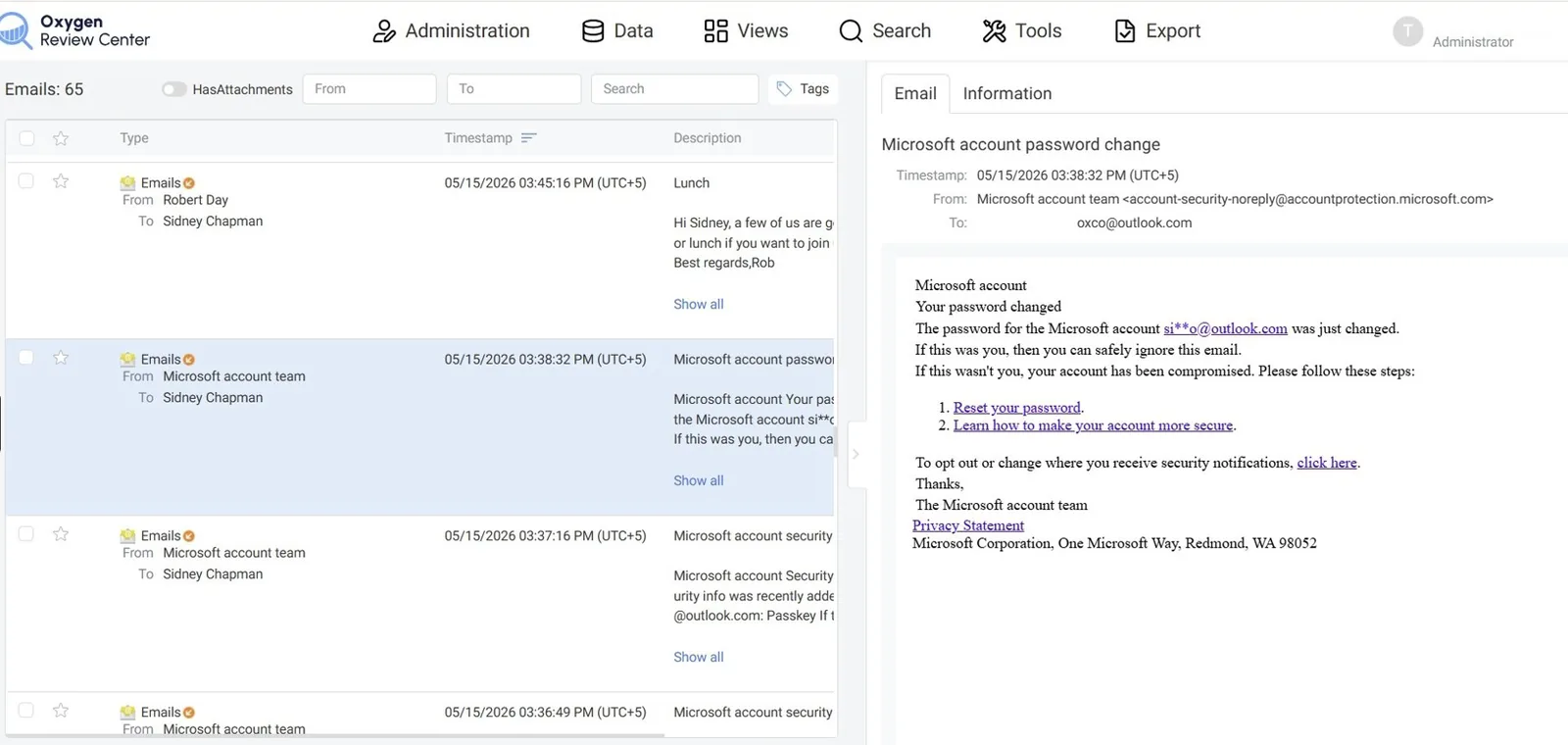
Email review is now easier with the new Emails page. Messages are now presented in a familiar, user-friendly format similar to traditional email clients. You can navigate through mailboxes and browse emails in the grid, with the selected email’s content and attachments displayed in the right-hand panel. You can also filter emails by attachment availability and date, as well as search their content. Message chain analysis is available, making it easy to track the flow of an email conversation.
Granular data export to Oxygen Review Center
More granular filtering can now be applied when sending data to Oxygen Review Center from Oxygen Forensic® Detective. The ability to apply more granular filtering by selecting specific chats and defining a time period allows users to send only the data that is required or permitted under a warrant.
Left sidebar improvements
Based on user feedback, we’ve made several improvements to the left sidebar:
- All filters now remain visible when some filters have been applied.
- ID, STT, OCR, pattern and text search fields are now unified into a single search field for greater convenience.
- The All Filters toggle has been moved to the Settings menu, where you can choose to display either Basic or Expert filters in all the sections. Expert filters offer more advanced filtering options.
- Templates have been moved to the bottom of the left sidebar.
Other improvements
- Translated communications are now included in reports made on the Communications page.
- Image Categorization tags on the Analytics tab of the Dashboard now display only tags generated by the Image Categorization engine, while user tags on the Statistics tab display all manually assigned tags.