The Oxygen Review Center v.2.2 is now available and includes the features described below.
Direct export of annotations from Oxygen Review Center
The full version of Oxygen Review Center now supports direct transfer of Key Evidence, tags, and notes that were created collaboratively to Oxygen Forensic® Detective or Oxygen Remote Explorer.
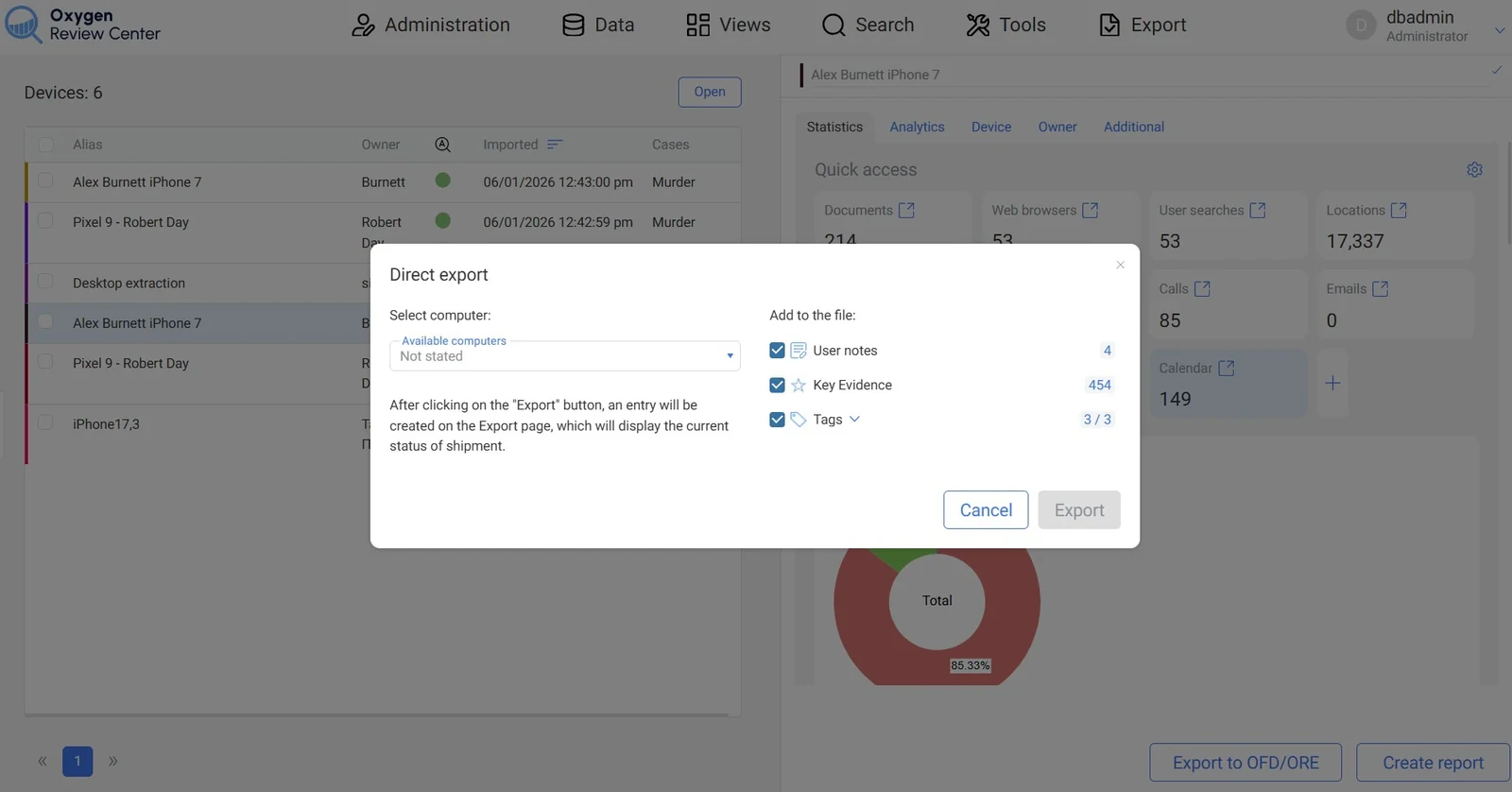
To transfer annotations, click the Export to OFD/ORE button on the Devices or Cases page and select the Via direct export option. In the dialog window, choose a computer available on your local network and select the annotations you want to send to Oxygen Forensic® Detective or Oxygen Remote Explorer.
Once imported, the annotations will appear in a dedicated ORC Annotations section, where you can filter them by reviewer, source, or tag, see which users created each annotation and when it was added, and then synchronize the annotations with other sections in Oxygen Forensic® Detective or Oxygen Remote Explorer.
Transfer of merged contacts
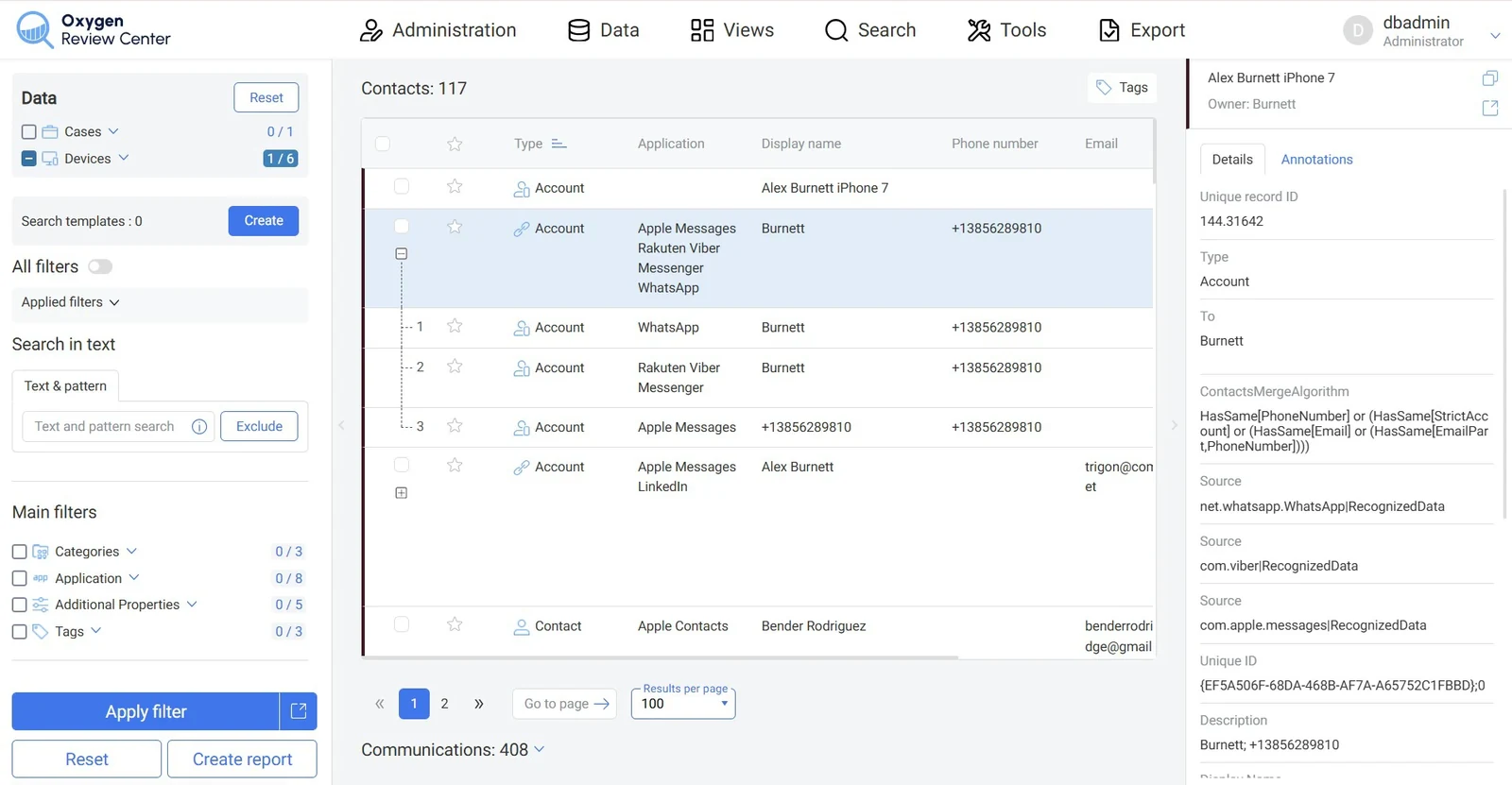
Merged contacts for a device are now transferred from Oxygen Forensic® Detective or Oxygen Remote Explorer and displayed in the Contacts section. Merged contacts are marked with a dedicated icon and can be expanded to view the individual contacts included in the merge. Support for transferring merged contacts at the case level is planned for the next release.
Case-specific tags
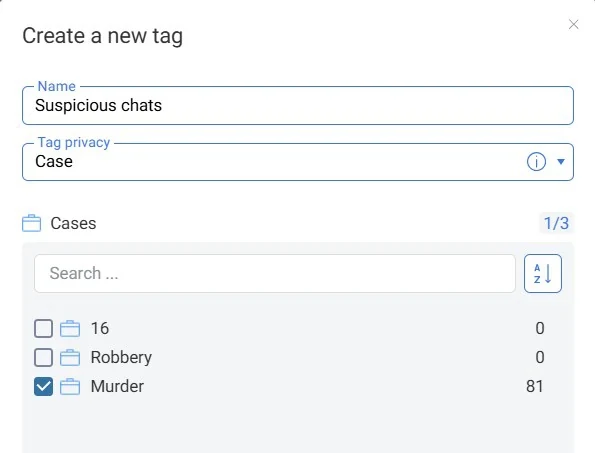
You can now create tags that are specific to a particular case. To do this, open the Tags Manager and select case-level privacy when creating a tag. These tags will only be visible within the assigned case, helping enhance the privacy of the data review process.
Speech-to-text results for audio messages
You can now view speech-to-text results for audio messages, including both original transcripts and translated text, directly in the Timeline and Communications pages. This enhancement makes reviewing audio messages faster and more efficient.
Link to a customer area
Users of the full version can now access their customer area directly from the program’s Settings menu.